
Arabic Fonts for Photoshop and Illustrator Artwork
5 fonts
Free Arabic fonts for Photoshop, Illustrator and graphic design, from sans and Kufi families to calligraphic and display faces. The page also explains the text engine setting that keeps Arabic letters joined.
Style
Use
Access
License
What to look for in a design font
- Real weights: a family with true Bold, ExtraBold or Black weights gives cleaner results than the Faux Bold option in the Character panel.
- A built-in Latin: bilingual posts and mockups look consistent when both scripts come from the same family.
- A clear role for each face: one display face for the headline, one text face for the rest. An Arabic layout rarely needs more.
- Correct shaping in the app: the font supplies the letterforms, but Photoshop's text engine decides how they join.
Which font for which layer
Tajawal is the base for many layouts: seven weights from ExtraLight to Black and a matching Latin, heavy weights for headlines and Regular for body copy. Cairo offers a Kufi-based alternative in one variable file, from weight 200 to 1000 with a slant axis.
Noto Kufi Arabic is a simplified Kufi for large text such as titles and packaging fronts. Lalezar is a dense poster face with a single style; avoid Faux Bold on it, which can close its counters. Aref Ruqaa brings a handwritten Ruq'ah line to quotes and greetings, with a Latin based on Hermann Zapf's Euler.
Getting Arabic to work in Photoshop
- Unzip the download and install every TTF it contains, Regular and Bold included, or Photoshop has no real bold to offer. Cairo and Noto Kufi Arabic each come as a single variable file.
- Choose the Middle Eastern and South Asian text engine under Edit > Preferences > Type on Windows, or Photoshop > Settings > Type on a Mac. With the default engine, Arabic can show disconnected letters or reversed words.
- The setting applies to documents created after the change.
- In the Paragraph panel menu, choose a Middle Eastern & South Asian composer, then set the paragraph direction to right-to-left.
- Avoid online "Arabic fixer" tools that reverse the text and replace letters with presentation forms. Their output breaks once the engine is set correctly and cannot be edited cleanly.
- Illustrator and InDesign work the same way: Arabic layout depends on the composer as much as on the font.
Use the online Arabic keyboard to type a name or check a word before you paste it into the text layer. For body copy under a display title, the Arabic sans fonts include quieter families than Tajawal's heavy weights, and our guide to choosing an Arabic font explains when a display face is the right call. For print campaigns, see Arabic fonts for flyers and posters; for motion work, see Arabic fonts for video.
Guides: Photoshop
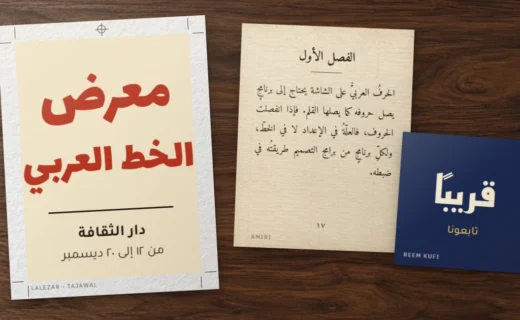
Arabic Text in Photoshop, Illustrator and InDesign: Setup Guide
Photoshop now shapes Arabic on its own; Illustrator and InDesign still need the right composer. Exact menu paths for direction, digits, diacritics and kashida,… Read more : Arabic Text in Photoshop, Illustrator and InDesign: Setup Guide