
Arabic Font with English: One Family for Both Scripts
43 fonts · Page 1 of 2
Free Arabic fonts that include their own Latin letters, so an Arabic line and an English line can share one family. Compare a classical Naskh with modern sans families.
Style
Use
Access
License
What to check in a bilingual font
- Visual size, not point size: Arabic often looks smaller than Latin at the same point size. Compare a line of each and adjust by eye until they match.
- Matching weights: a bilingual heading needs the same weight in both scripts. A family whose Arabic and Latin share the same files avoids mixing two systems.
- Similar contrast: a high-contrast Arabic beside a flat Latin, or the reverse, makes one script look louder than the other.
- Mixed lines: a Latin brand name inside an Arabic sentence, a date, a phone number. The font must hold both scripts, and the software must handle the change of direction.
- Line height set by the taller script: Arabic marks and descenders decide the minimum spacing, so Latin lines will look looser. That is normal.
Which family to pick for two scripts
Tajawal has a sans Latin drawn to work with its Arabic, in seven weights from ExtraLight to Black. Choose it for a bilingual brand or interface that needs a wide hierarchy from one family.
IBM Plex Sans Arabic includes Latin in all seven weights, from Thin to Bold, and belongs to the wider Plex collection. Choose it when the English side may later need Plex Sans, Plex Serif or Plex Mono, which are separate downloads.
Amiri is a classical Naskh with its own Latin. Choose it for bilingual books, reports or invitations with a formal tone. If you prefer a separate Latin, book serifs such as EB Garamond or Crimson Pro sit well beside it.
For other modern families, see the Arabic sans fonts.
Setting mixed text without surprises
- On a web page, mark each passage with its language and direction, for example lang="ar" and dir="rtl" on the Arabic blocks.
- Test one sentence that mixes everything: an Arabic phrase, an English product name, a number and a closing parenthesis. Misplaced punctuation shows up at once.
- In a design app, set the Arabic paragraph direction to right-to-left before you align it. A centered lockup hides direction errors until the text changes.
- Keep one family across both scripts when you can. Two families double the files to load and the spacing rules to maintain.
For full sites, see Arabic web fonts; for two-script brand marks, Arabic fonts for logos. Our guide on how to choose an Arabic font covers pairing in more depth.
Guides: Arabic & Latin
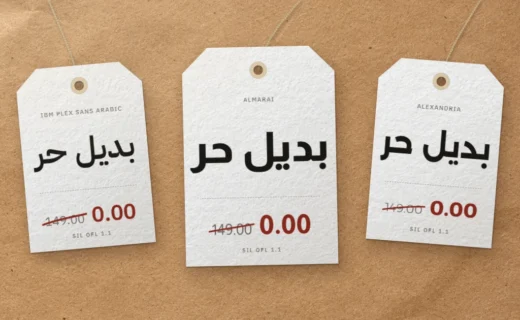
Free Alternatives to Commercial Arabic Fonts: GE SS, Dubai, DIN Next
GE SS Two, Dubai Font, DIN Next Arabic, Janna, 29LT Bukra, Hacen: who owns each one, what its license allows, and the open-licensed fonts… Read more : Free Alternatives to Commercial Arabic Fonts: GE SS, Dubai, DIN Next