
Arabic Font for Word Documents, Reports and Letters
13 fonts
Free Arabic fonts to install for Microsoft Word: classical Naskh faces for letters and reports, and modern sans families for forms and presentations. Each download includes its license.
Style
Use
Access
License
What matters for Arabic in Word
- The Complex scripts setting: once an Arabic or other right-to-left editing language is enabled in Office, the Font dialog shows a Complex scripts section with its own font, style and size. Changing the Latin font alone leaves Arabic text as it was.
- Real weight files: the Bold button uses the family's Bold file when it is installed. Without it, Word fakes the bold by thickening the Regular.
- Line spacing: tall Naskh letters and vowel marks can be clipped with "Exactly" line spacing. "Multiple" (1.0 or more) or "At least" keeps them whole.
Which font for which document
For letters, contracts and reports with a traditional tone, choose Amiri; with only Regular and Bold, it works entirely from the Bold button. Scheherazade New adds Medium and SemiBold for academic and educational documents. Lateef, with seven weights and a South Asian design background, suits long reports with many heading levels. Noto Naskh Arabic also covers Persian and Urdu for multilingual files.
For forms, newsletters and handouts, a sans reads better at small sizes. Tajawal offers seven weights with a matching Latin, Almarai keeps things simple with four, IBM Plex Sans Arabic has both Medium and SemiBold for tables, and Noto Sans Arabic pairs with Noto Naskh Arabic when a document needs one collection for text and forms.
Setup tips
For the full setup procedure, follow how to write Arabic in Word: editing language, the Complex scripts font setting, paragraph direction and digits.
- Enable Arabic as an editing language in Office's language settings first: the Complex scripts options and the right-to-left controls depend on it.
- Unzip the download and install every TTF it contains, Regular and Bold included. Noto Naskh Arabic and Noto Sans Arabic come as one variable file each; check which weights your version of Word lists before you build styles on them.
- Set the Arabic font in your styles, such as Normal and Heading 1, rather than on selected text, so the whole document follows it.
- In Word for Windows, use the right-to-left paragraph button on the Home tab for Arabic paragraphs.
- To share an editable file in Word for Windows, turn on Embed fonts in the file under File > Options > Save, and leave Embed only the characters used in the document unchecked. Otherwise, send a PDF: a recipient without the font would see a substitute.
The on-screen layout of the online Arabic keyboard adds harakat (حركات, short-vowel marks) to a word before you paste it into Word. The faces above fall into the Naskh style for traditional documents and the modern sans style for forms; our Arabic font selection guide helps you pick between them. For printed books, see Arabic fonts for books; for worksheets, Arabic fonts for kids.
Guides: Microsoft Word
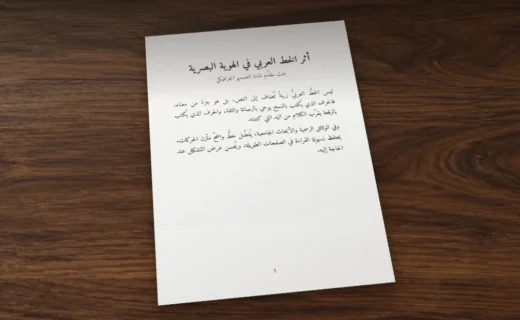
Arabic in Microsoft Word: Fonts, Right-to-Left, Diacritics and Sharing
Set the complex script font, right-to-left paragraphs and tables, harakat, Arabic or Hindi digits and kashida, then pick a font Word can embed and… Read more : Arabic in Microsoft Word: Fonts, Right-to-Left, Diacritics and Sharing